





Skip to content | Secretary Griswold
Colorado Secretary of State logo - go to home page

Colorado
Secretary of State
Jena Griswold

  • Menu
  • Bingo
  • Business
  • Charities
  • Elections
  • Notary
  • Search
  • Home
  • Administrative rules of state agencies
  • Apostille & authentications
  • Bingo & raffles
    • Bingo & Raffles Forms
    • Bingo & Raffles Log in
    • Bingo & Raffles FAQs
    • Bingo & Raffles Apply for license
    • Bingo & Raffles Renew a license
  • Business organizations
    • Business organizations Search
    • Business organizations File a document
    • Certificate of Good Standing
    • Intelligence Center - Business data
    • Business organizations FAQs
    • Business organizations Email notifications
  • Charities & fundraisers
    • Charities & fundraisers Search
    • Charities & fundraisers Log in to eFile
    • Charities & fundraisers File a form
    • Charities & fundraisers FAQs
    • Charities & fundraisers Reset your password
  • DME suppliers
    • DME suppliers Search
    • DME suppliers Apply
    • DME suppliers Log in
    • DME suppliers FAQs
  • Elections & voting
    • Voters
    • Campaign finance
    • Candidates
    • Clerk's corner
    • Election administrator login
    • Initiatives
    • Military & overseas
    • NVRA agency resources
    • Title board
    • TRACER
    • Voter registration drives
    • Voting systems
  • Español
  • Events & audio broadcasts
  • Fee schedules
  • Lobbyist
    • Lobbyist Search
    • New lobbyist registration / request login
    • Lobbyist Log in to eFile
    • Lobbyist FAQs
  • Newsroom
  • Notary public
    • Verify a notary
    • Renew notary commission
    • Become a notary
    • Notary Log in
    • Notary FAQs
  • Performing rights societies
  • Rules & notices of rulemaking
  • Uniform Commercial Code (UCC)
    • UCC Search
    • UCC eFile
    • UCC FAQs
  • Contact us
  • Holiday calendar
  • Secretary Griswold
  • Home
  • Administrative rules of state agencies
  • Apostille & authentications
  • Bingo & raffles
    • Bingo & Raffles Forms
    • Bingo & Raffles Log in
    • Bingo & Raffles FAQs
    • Bingo & Raffles Apply for license
    • Bingo & Raffles Renew a license
  • Business organizations
    • Business organizations Search
    • Business organizations File a document
    • Certificate of Good Standing
    • Intelligence Center - Business data
    • Business organizations FAQs
    • Business organizations Email notifications
  • Charities & fundraisers
    • Charities & fundraisers Search
    • Charities & fundraisers Log in to eFile
    • Charities & fundraisers File a form
    • Charities & fundraisers FAQs
    • Charities & fundraisers Reset your password
  • Elections & voting
    • Voters
    • Campaign finance
    • Candidates
    • Clerk's corner
    • Election administrator login
    • Initiatives
    • Military & overseas
    • NVRA agency resources
    • Title board
    • TRACER
  • Voter registration drives
  • Voting systems
  • DME suppliers
    • DME suppliers Search
    • DME suppliers Apply
    • DME suppliers Log in
    • DME suppliers FAQs
  • Events & audio broadcasts
  • Fee schedules
  • Lobbyist
    • Lobbyist Search
    • New lobbyist registration / request login
    • Lobbyist Log in to eFile
    • Lobbyist FAQs
  • Newsroom
  • Notary public
    • Verify a notary
    • Renew notary commission
    • Become a notary
    • Notary Log in
    • Notary FAQs
  • Performing rights societies
  • Rules & notices of rulemaking
  • Uniform Commercial Code (UCC)
    • UCC Search
    • UCC eFile
    • UCC FAQs
  • Contact us
  • Holiday calendar
  • Secretary Griswold

Registration Instructions

New professional lobbyist

Request user ID

  1. From the Lobbyist home page, under File Reports, click on “request a User ID”.
  2. Complete the Request User ID form, and then click on “Submit”.
  3. A user ID and temporary password will be emailed to you.  Be sure to check your junk/spam folder.

Log in to filing system

  1. From the Lobbyist home page, under File Reports, click on “Log in to eFile”.
  2. Enter the user name and password from the email that you received.

Change password

  1. In the left navigation menu, click on “Change Password”.
  2. Enter your temporary password and new password.
  3. Click on “Save”.

Log in and file registration

  1. Under Lobbyist Filing Center, click on “New Lobbyist Registration”.
  2. Complete the Annual Registration form by entering your information and selecting your Initial Reporting Month.   What is my Initial Reporting Month?
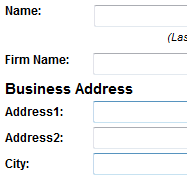
  3. Click on “Continue to clients”.
  4. Click “Add” to add new client information.  At least one client must be added.
  5. Once you have added all of the clients, click on “Continue”.

Payment & confirmation

  1. On the Online Payment page, complete payment, and then click on “Submit”.
  2. Print the Transaction Confirmation page for your records.

Your registration is complete.

Click on “Continue” to go to your summary page.

Colorado Secretary of State | 1700 Broadway, Suite 550, Denver CO 80290 | 303-894-2200

Terms & conditions | Accessibility statement | Browser compatibility
